
A robot dog for learning to code: Bittle X or Mini Pupper 2?
Bittle X and Mini Pupper 2 compared on coding, assembly, ROS 2, sensors, battery life and real costs for individual buyers.
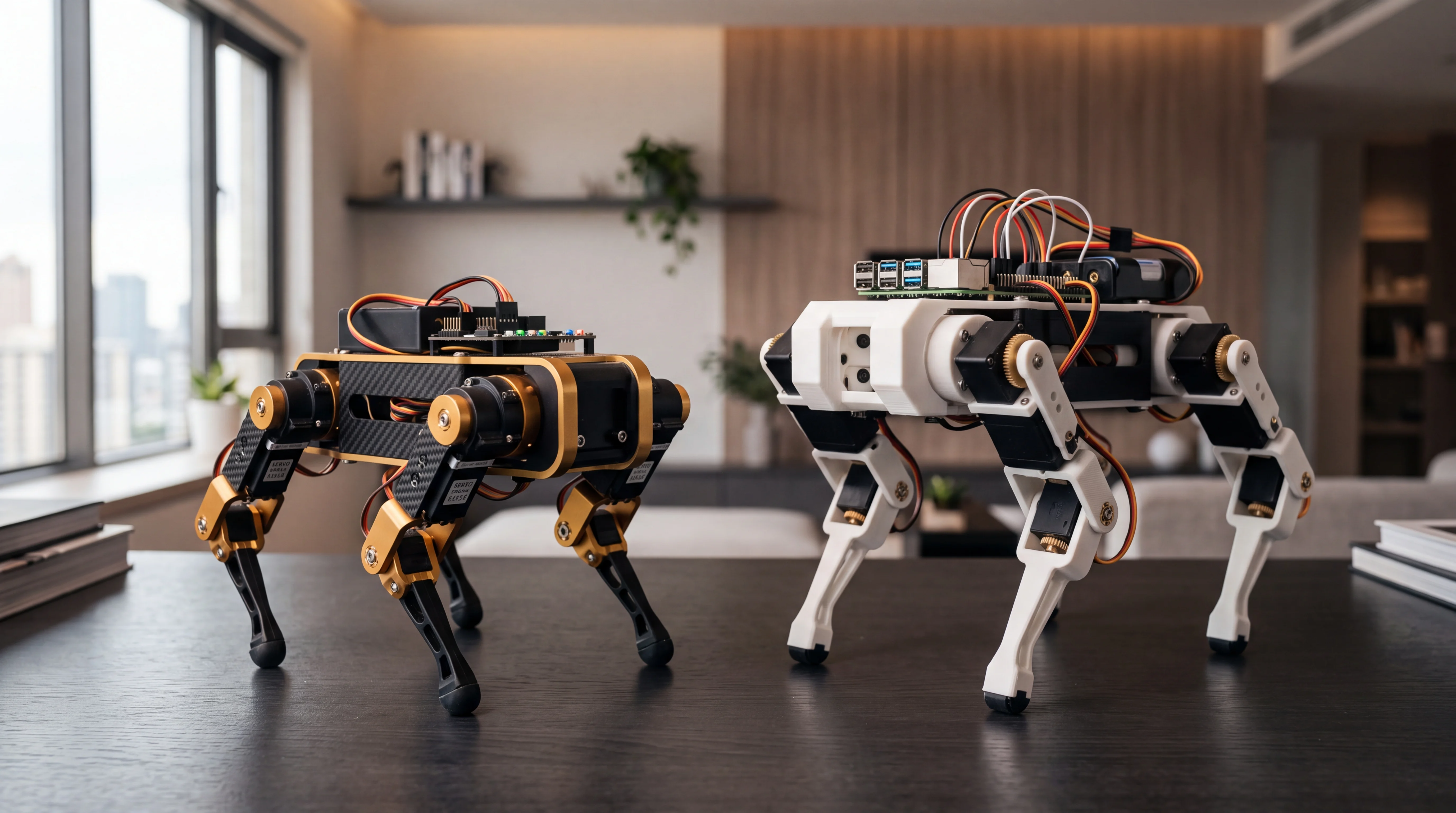
If you want a small robot dog for learning to code, Petoi Bittle X and MangDang Mini Pupper 2 are two plausible starting points. They look like variations on one idea, but ask for different amounts of time, equipment and technical confidence. Bittle X emphasizes first coding activities and voice control; Mini Pupper 2 offers more room for Raspberry Pi, ROS 2 and navigation projects. This is a comparison of manufacturer specifications and manuals, not a hands-on test by ROBOLERO.
Key differences
| Question | Petoi Bittle X | MangDang Mini Pupper 2 |
|---|---|---|
| Getting started | Preset movements, app and voice commands; calibration recommended | Pre-assembled or partly assembled kits; setup depends on the variant |
| Programming | Petoi blocks, Arduino/C++, OpenCat Python commands | Python, kinematics examples and ROS 2 projects |
| Electronics | ESP32-based BiBoard; Raspberry Pi support varies by version | Expandable Raspberry Pi-based platform |
| Navigation sensors | IMU listed; check optional modules | STL-06P LiDAR and camera are add-ons, not assumed to be included |
| Stated battery life | About one hour; charging about 1.5 hours | Not clearly stated on the product page consulted: ask the seller |
| Displayed price | From $319 in the Petoi shop for Bittle X, depending on configuration | $649 for the configuration shown in MangDang's shop; check the selected variant |
These are dollar prices displayed on the pages checked on 15 October 2026. They are not delivered prices for Europe: configuration, shipping, taxes, accessories and exchange rates affect the final total.
Bittle X: begin with movement and code
Petoi lists a plastic body about 19 cm long, a weight of 269–353 g depending on configuration, nine powered joints and a 1,000 mAh battery. Its manual describes more than 35 actions triggered by voice and ten customizable commands. That makes it appealing if you want to see a quadruped move quickly, then change its behavior using blocks, C++ or Python.
The version number matters. Petoi distinguishes the original Bittle X, V2, construction kits, plastic versus alloy servos, and the arm variant. Raspberry Pi compatibility also differs. Check the exact product code against the matching manual before buying accessories or following a tutorial: a V2 guide may not describe an older unit. The manufacturer also notes that a pre-assembled robot may still need fine leg calibration.
Petoi states roughly one hour of battery life and 1.5 hours to recharge. Those are manufacturer figures, not independent measurements. Allow for breaks and a clear floor; this is an educational robot, not a pet designed for continuous rough use.
Mini Pupper 2: more lab work, more setup
MangDang presents Mini Pupper 2 as an open kit for learning kinematics, Python, computer vision and ROS 2. It sells a pre-assembled kit, one with pre-assembled legs and an upgrade kit. The product page suggests about 30 minutes to get started with the ready-made version and about an hour for mechanical study. These are marketing estimates, not guaranteed times for every beginner.
What comes in the box is decisive. LiDAR mapping and navigation require the optional sensor module; the camera is not included in the standard package, according to MangDang. It also says a handheld controller is not included and recommends its Wi-Fi web controller. If you want the robot to explore a room, add these components to the base price and confirm compatibility with your chosen kit. The official STL-06P LiDAR listing showed $119 at the time of checking, but both price and availability can change.
ROS 2 enables deeper study through simulation and navigation, but generally demands more comfort with networks, Linux and package setup than Bittle X's first block-based exercises. It does not mean Mini Pupper 2 will navigate every home autonomously straight out of the box.
Which is right for an individual buyer?
- Choose Bittle X for a compact first quadruped, immediate commands and a gradual route from app and blocks to C++ and Python. Verify the exact version before ordering accessories.
- Choose Mini Pupper 2 if you want Raspberry Pi and ROS 2 work and accept setup, optional modules and a higher entry cost. Ask the shop precisely what your selected variant includes.
- Choose neither if you need an autonomous companion animal, home-security device or household worker: the documented features are mainly for learning and experimentation.
See the Petoi Bittle X and MangDang Mini Pupper 2 model pages. If you already own a kit, include its version, battery, servo condition and accessories in an used-value estimate; those matter more than the generic label “robot dog.”
Sources
- Petoi — official Bittle model comparison petoi.com
- Petoi — Bittle X technical specifications petoi.com
- Petoi — Bittle X manual bittle-x.petoi.com
- MangDang — Mini Pupper 2 configurations and accessories mangdang.store
Robots mentioned: Petoi Bittle X, MangDang Mini Pupper 2
Comparison based on the cited sources. Specifications, prices and availability may change: check the exact version and final cost before buying.