
Robot dog or home companion? Go2 and Loona compared
A practical Go2 versus Loona comparison: movement, battery life, sensors, games, prices and limitations for everyday buyers.
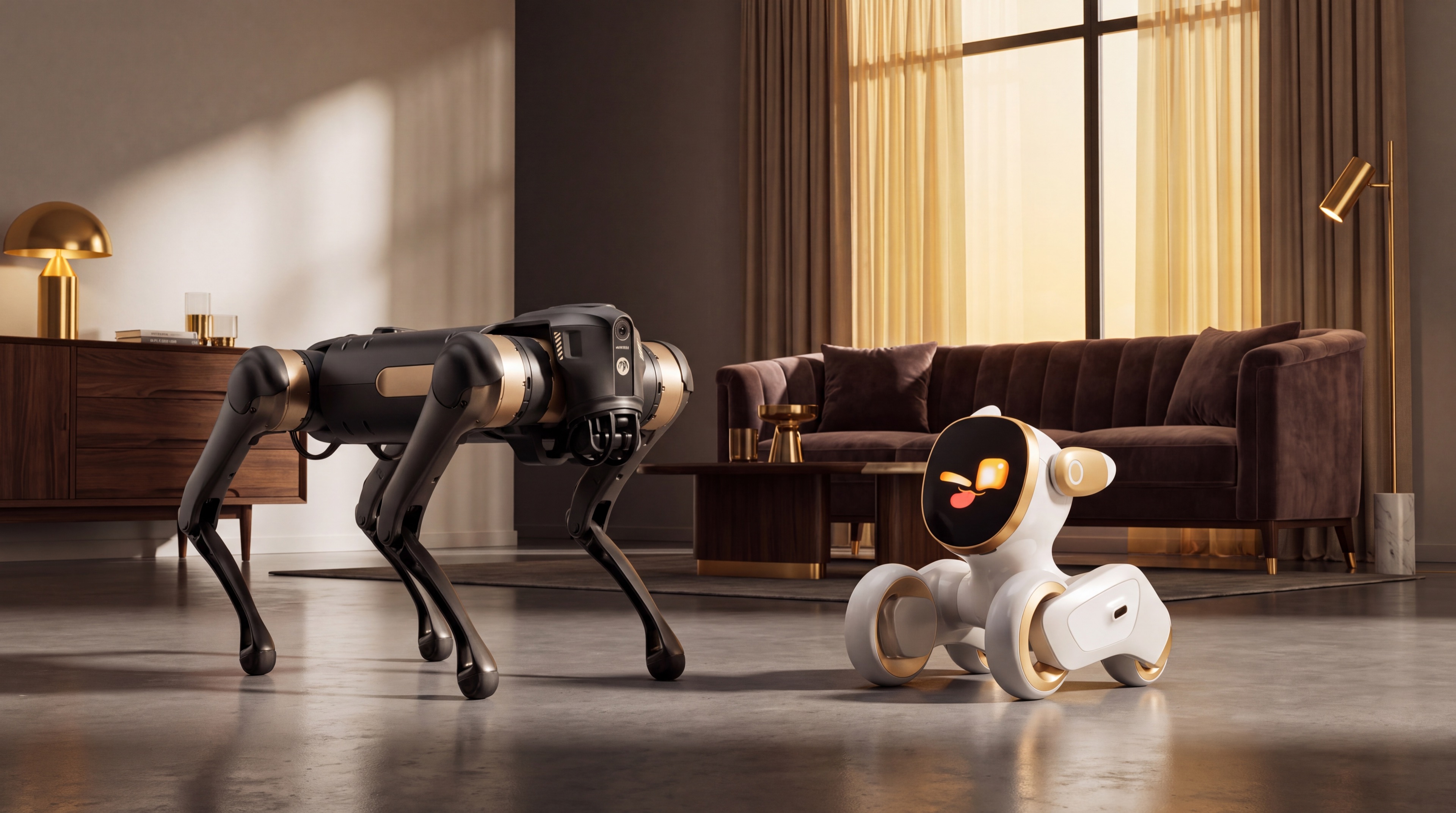
Both products are called robot dogs, but they solve different problems. Go2 is an approximately 15 kg quadruped that walks on four legs. Loona is an approximately 1.1 kg wheeled companion with an expressive screen. One is about locomotion and robotics; the other is about play and interaction at home. This comparison uses the manufacturers' published specifications, not hands-on test results.
Key differences
| Feature | Unitree Go2 | KEYi Loona Petbot Premium |
|---|---|---|
| Movement | Four legs; navigates paths and slopes depending on version | Two wheels; primarily for indoor spaces |
| Size and weight | About 70 × 31 × 40 cm standing; about 15 kg | About 21 × 17 × 17 cm; 1.1 kg |
| Sensors | 4D L2 LiDAR and camera; features vary by variant | 720p RGB camera, 3D ToF, touch sensor and four microphones |
| Claimed runtime | About 1–2 hours for Air, Pro and X; 2–4 hours for EDU with long battery | Up to 2 hours of continuous play; manufacturer says it can return to its dock |
| Main experience | Driving, paths, side-following and practical robotics | Games, expressions, face recognition and voice interaction |
| Manufacturer price | Air $1,600; Pro $2,800; X $4,500, excluding tax and freight. Ask for EDU pricing | Store prices depend on selected region and bundle; check your country's final total |
These are manufacturer claims, not measurements made by Robolero. Unitree explicitly says specifications and functions vary with configuration and conditions, and connected features can differ between countries.
What daily use actually means
Go2 is for people who want to steer a walking robot and explore its sensing and movement. Unitree lists standard 4D LiDAR, app control and ISS 2.0 side-following, but Air, Pro, X and EDU are not interchangeable. Air is the entry model; Pro adds computing and features; X and EDU have more advanced configurations. A video of EDU does not prove that a $1,600 Air has the same capabilities. The stated maximum climbing angle is 30° for Air and 40° for the other variants. Go2 does not have hands to cook, clean or carry out household chores.
Loona focuses on interaction: app-enabled games, screen expressions, face recognition, conversation and Blockly activities described by KEYi. Its small size fits a living room more easily. Wheels suit even floors, but they cannot reproduce Go2's walking or uneven-ground experience. Connected conversations should not be confused with human understanding, and offline features need to be checked separately.
Battery, charging and privacy
Unitree states 1–2 hours for Go2 Air, Pro and X and 2–4 hours for EDU with its 15,000 mAh battery; real usage matters. KEYi states 2 hours of continuous play and automatic docking for Loona. Check whether a dock and other accessories are included in the exact bundle.
Loona's camera, four microphones and recognition features call for a look at its app settings and privacy policy, especially in homes with children. Go2 also offers app video and online updates. Neither product page alone establishes that all data remains on-device.
The real purchase price
Go2's listed dollar prices exclude tax and shipping; they are not final European prices. Loona's shop changes currency and bundles by region. Before paying, confirm VAT, delivery, possible import charges, warranty, spare parts and returns. For a used Go2, the version and battery condition can make a large difference.
Which should you choose?
- Go2 if walking robotics and hands-on exploration matter more than size and price.
- Loona if you want a small indoor companion for games and interaction.
- Neither if your goal is reliable autonomous cleaning, cooking or home security: the official specifications do not establish those uses.
Compare the Go2 Pro sheet and Loona sheet. Already own one? Estimate its resale value with the exact version, battery and accessories.
From a video to the right robot for you
Start with a concrete task: driving a quadruped, playing indoors or programming. Compare the variant shown in the demonstration with the one in the quotation and ask which features require an app, network or accessories. Declared performance is not a test in your home.
Open the Go2 Pro and Loona pages, then read the Go2 variant checklist. For costs, use the total-cost calculator: select model, destination and origin, replacing the initial values with your quotation.
Sources
Robots mentioned: Unitree Go2 Pro, KEYi Loona
Comparison based on the cited sources. Specifications, prices and availability may change: check the exact version and final cost before buying.